Money, Apparently.

See where it all went.

A clear monthly picture of what came in, what went out, and what is actually left. It reads your own bank transactions, so there is nothing to type in.

Coming to the App Store · iPhone

One number that means something

Most finance apps show a balance you already knew, or a budget you have to build before it tells you anything. This one shows the month: money received plus money still expected, against money spent plus bills still due.
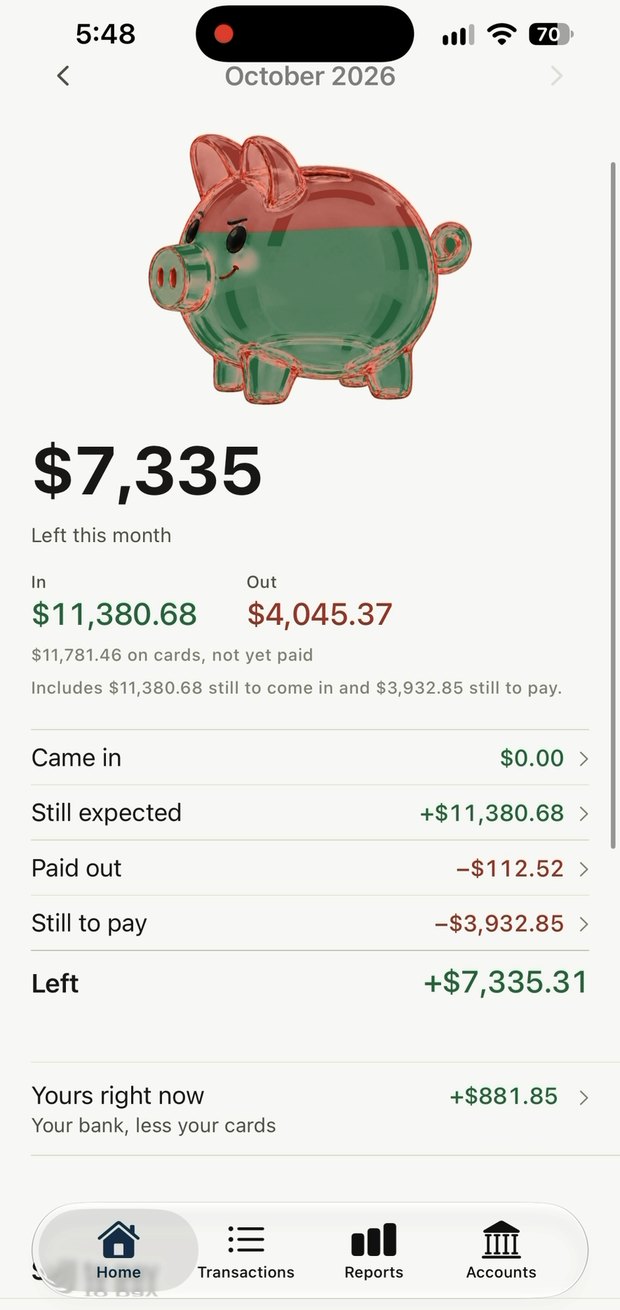
Came inWhat has actually landed
Still expectedPaychecks it found in your history
Paid outWhat has left your account
Still to payBills it knows are coming
LeftThe number at the top of the screen
The app's home screen with the month's figures

Five screens

The month, the reports, the tidy-up list, your accounts, and what the bank connections cost.
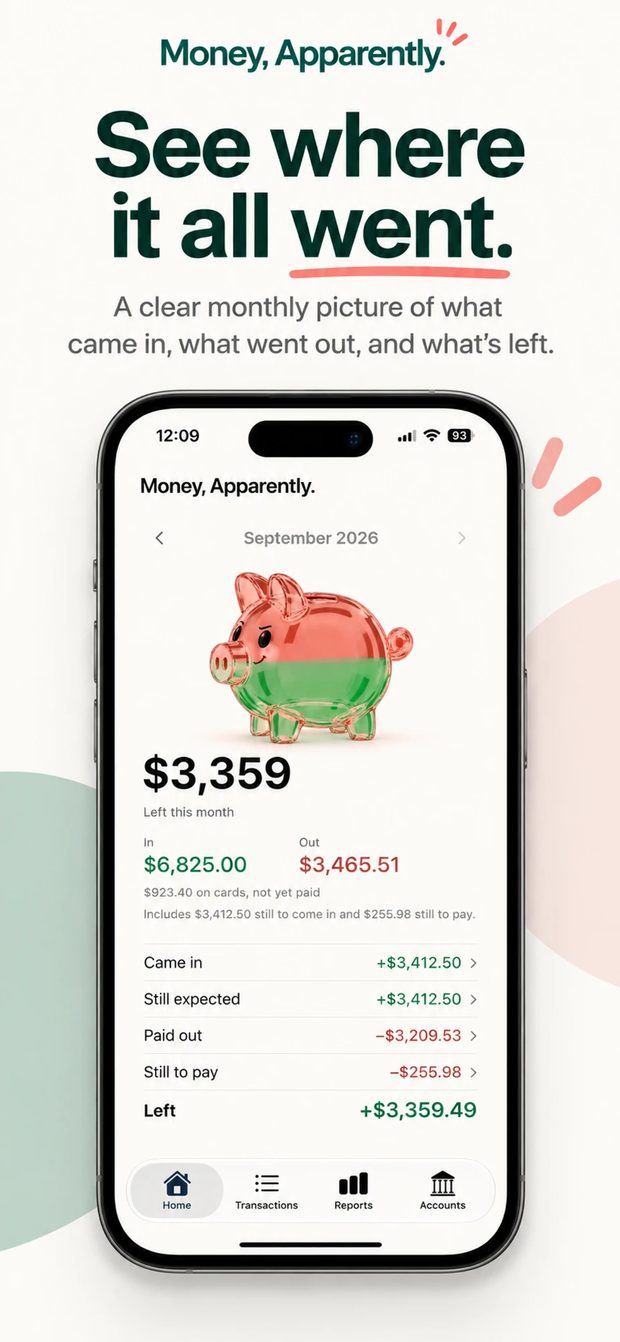
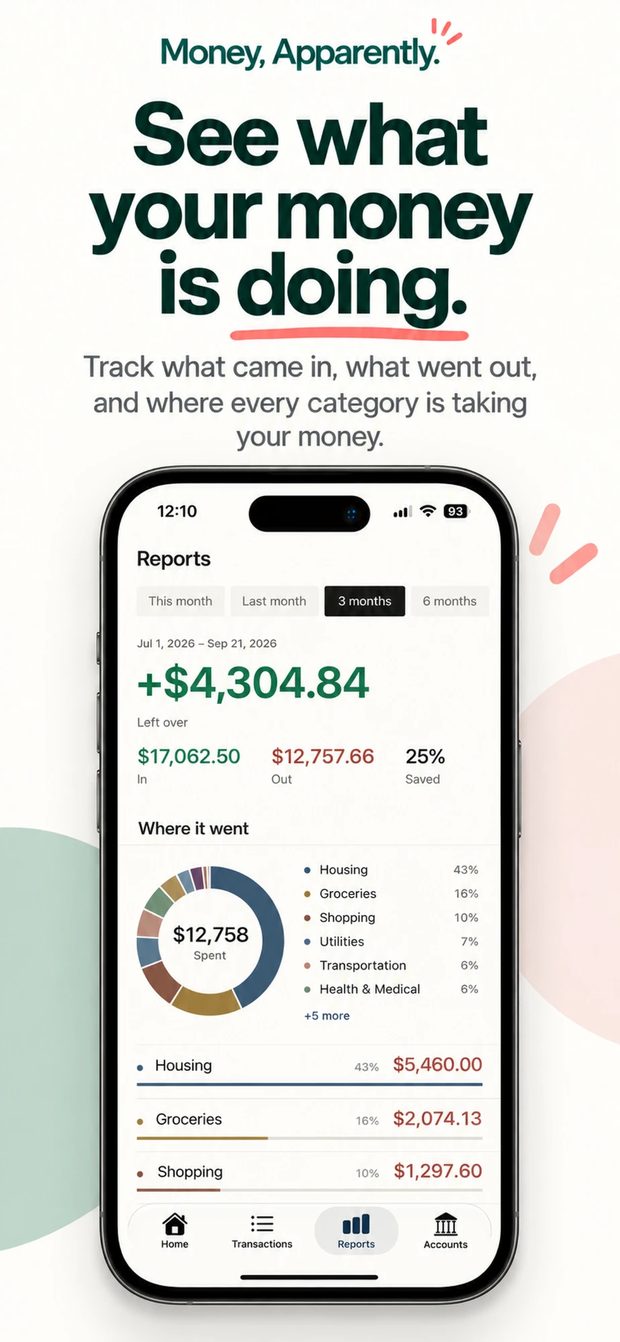
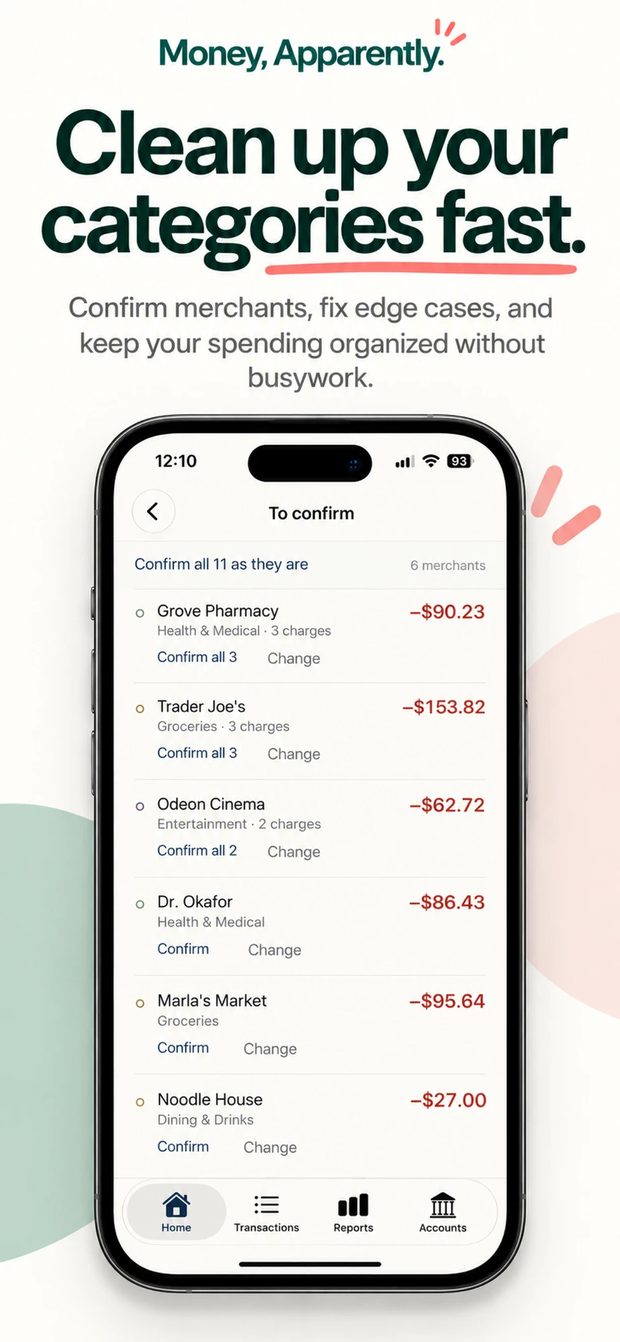
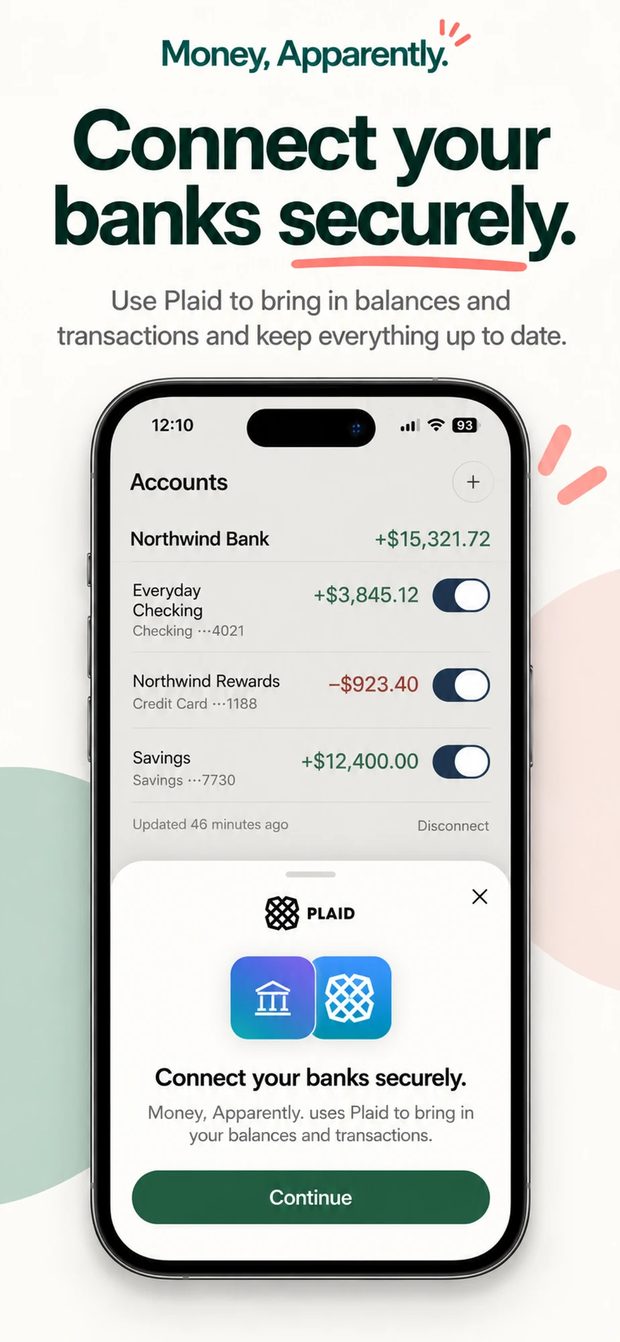
The home screen: September 2026, $3,359 left this month, with came in, still expected, paid out and still to pay listed underneath. The Reports screen: three months summarized, $4,304.84 left over, and a ring chart of where the money went by category. A list of transactions to confirm, grouped by merchant, each one a tap to accept or change. The Accounts screen with connected bank accounts, and the Plaid sheet used to connect them securely.

What it does

Four things most finance apps get wrong.

Sorted without the homework

Rules you write, merchants it remembers, and a model for the genuinely ambiguous ones. Every guess is marked as a guess until you say otherwise.

Bills and paychecks found for you

Detected from your own history rather than typed into a setup wizard. Confirm the rent once and the app knows what is coming.

Credit cards done properly

A card payment is not double-counted as spending, and what is sitting unpaid on your cards is stated rather than buried.

Categories of your own

The sixteen that ship cover most things. Add Pets, Childcare, or whatever your life actually contains.

What it costs

Everything except connecting a bank is free and stays free. Connecting banks costs money to run every month, whether or not you open the app — so that is the part that costs something.

$7.99a month

14-day free trial. Cancel any time in Settings.

$59.99a year

Works out at $5 a month. Same 14-day trial.

A glass piggy bank filling with coins

Your bank login is not ours to see

You authenticate with your bank through Plaid. The app receives permission to read transactions and nothing more: it cannot move money, and it never sees your credentials.

Nothing to move money with

Read-only access to transactions and balances. The token that allows it is encrypted and stays on the server.

Locked to you

Every row in the database is restricted to its owner by the database itself. Face ID, Touch ID or your passcode locks the app.

Deleting means deleting

Disconnect a bank and its transactions go with it, and our access is revoked at Plaid. Delete your account and everything goes.

No analytics in the app

No analytics or advertising software of any kind. Apple's aggregate App Store figures cannot identify you.

Questions people ask

Which banks does it work with?
Most connect instantly through Plaid. A few large institutions — Chase, Schwab and PNC among them — have to be enabled individually and can take a day.
Why does a credit card payment not count as spending?
What you bought on the card was already counted on the day you bought it. Counting the payment as well would count the same month twice.
Why is my investment account not in my totals?
Investments and loans are holdings, not spending money, so they stay out by default. You can include any account with the switch beside it.
Do I have to categorize everything myself?
No. Tap anything in the wrong category and change it, and the app remembers that merchant. For something broader, write a rule that covers many merchants at once.
What does Money, Apparently. cost?
Everything except connecting a bank is free. Bank connections are $7.99 a month or $59.99 a year, both with a 14-day free trial.
How do I delete my data?
Accounts, then Security and account, then Delete account. It is immediate. Deleting your account does not cancel a subscription — Apple bills that.

See where it all went.

A month, a number, and the working behind it. Built for iPhone by a small software company in Maryland.

Coming to the App Store · iPhone Questions? Talk to us